Seedance 2.5 can generate an audio-video scene up to 30 seconds long in a single pass. But those extra seconds add more than runtime. The model must carry pacing, character identity, movement, spatial relationships, camera direction, and sound across an entire sequence without letting the scene lose focus.
That challenge becomes more visible in Seedance 2.5 NSFW creation, where body proportions, close physical interaction, pose transitions, occlusion, and camera proximity may all need to remain coherent at once. Access and moderation differ between platforms; NSFWSeedance provides a fully uncensored workflow for 18+ creation.
This is not a basic generation walkthrough. It will help you decide whether your idea needs the full 30 seconds, shape it into a controllable timeline, write a prompt the model can stage, and diagnose what failed without rebuilding the entire video. Before writing that prompt, however, there is one decision to make: does this scene actually need all 30 seconds?
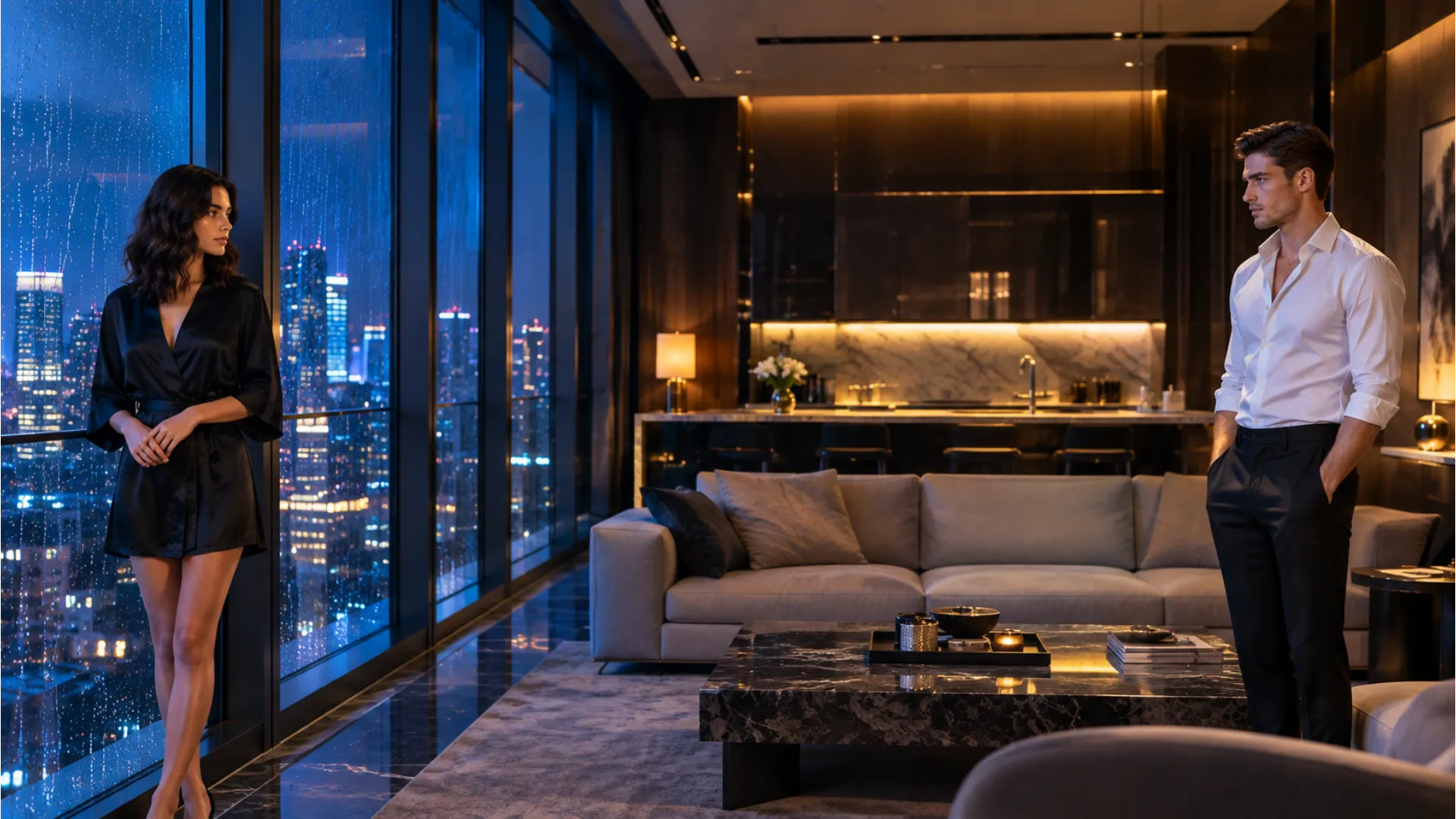
Plan the Scene as a Timeline Before Writing the Prompt
A 30-second scene should not begin as a 30-second sentence. When every action, camera move, visual detail, and sound cue is compressed into one paragraph, the model still has to decide what happens first, what deserves the most time, and what must remain unchanged. That freedom can produce an attractive opening while delaying the central action, rushing the ending, or allowing the scene to drift halfway through.
Plan the sequence before writing the prompt. A useful timeline gives the video a beginning state, a visible development, one main action, a reaction, and a clear ending state. The following five-block structure is adjustable rather than fixed:
| Time block | Purpose | Main action | Camera task | Continuity target |
|---|---|---|---|---|
| 0–5s: Start | Establish who is present and where the scene begins | Introduce the subject and opening position | Hold a readable wide or medium composition | Character identity, appearance, setting, and lighting |
| 5–11s: Development | Move the scene out of its opening state | Begin one approach, gesture, or interaction | Follow the movement without changing visual direction unnecessarily | Relative positions, movement direction, and distance between subjects |
| 11–20s: Main Action | Give the scene its central visual event | Develop the primary performance or physical interaction | Present the action from the most useful angle | Body proportions, points of contact, pose integrity, and spatial relationship |
| 20–26s: Reaction | Show the consequence or emotional change | Introduce one response, pause, or shift in behavior | Move closer, reframe, or hold for the reaction | Facial identity, gaze, body orientation, and scene geography |
| 26–30s: Ending State | Give the video a deliberate finish | Settle into a final pose, reveal, separation, or visual hold | Establish the final composition without beginning another sequence | Final character positions, environment, lighting, and visual mood |
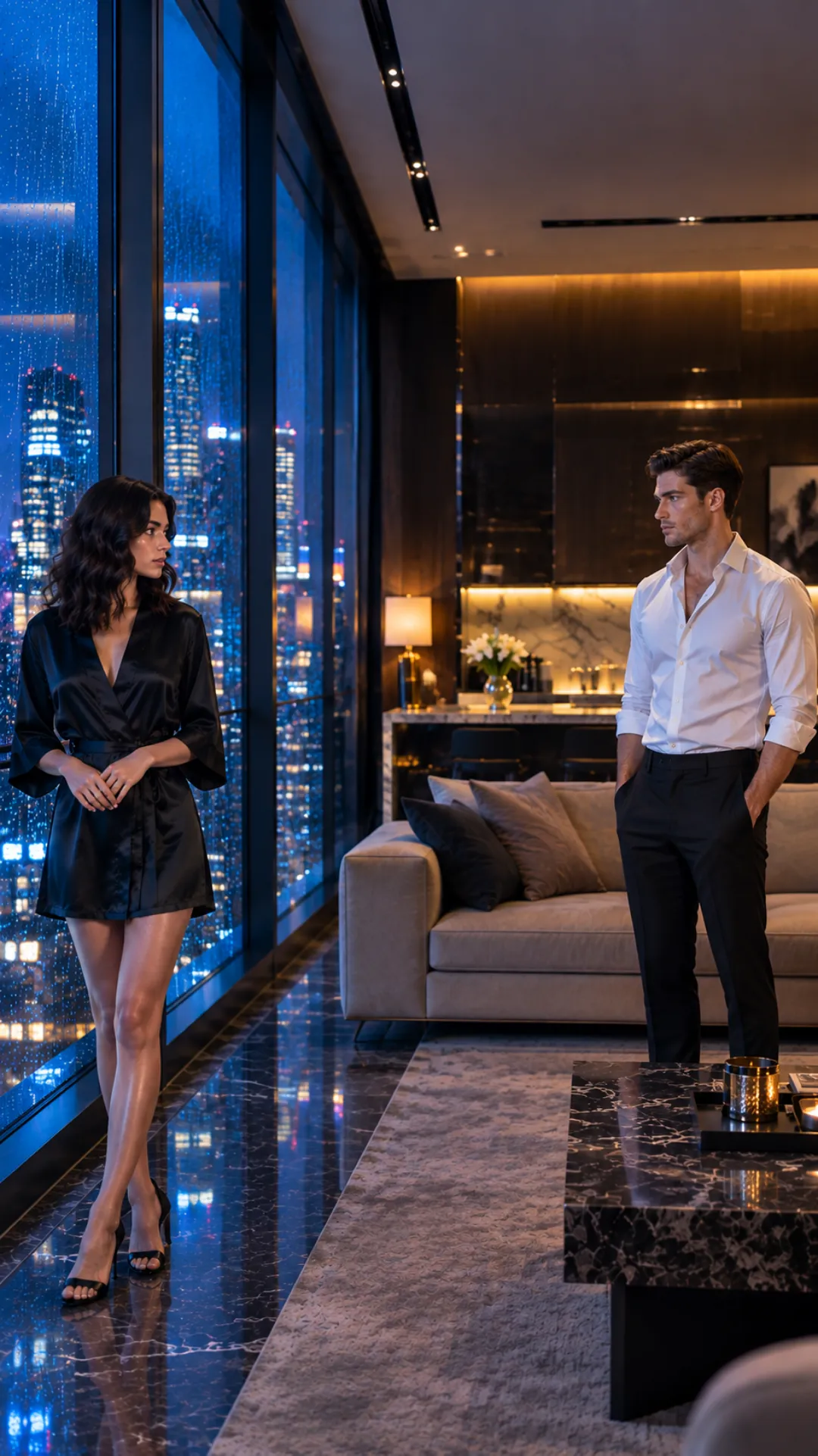
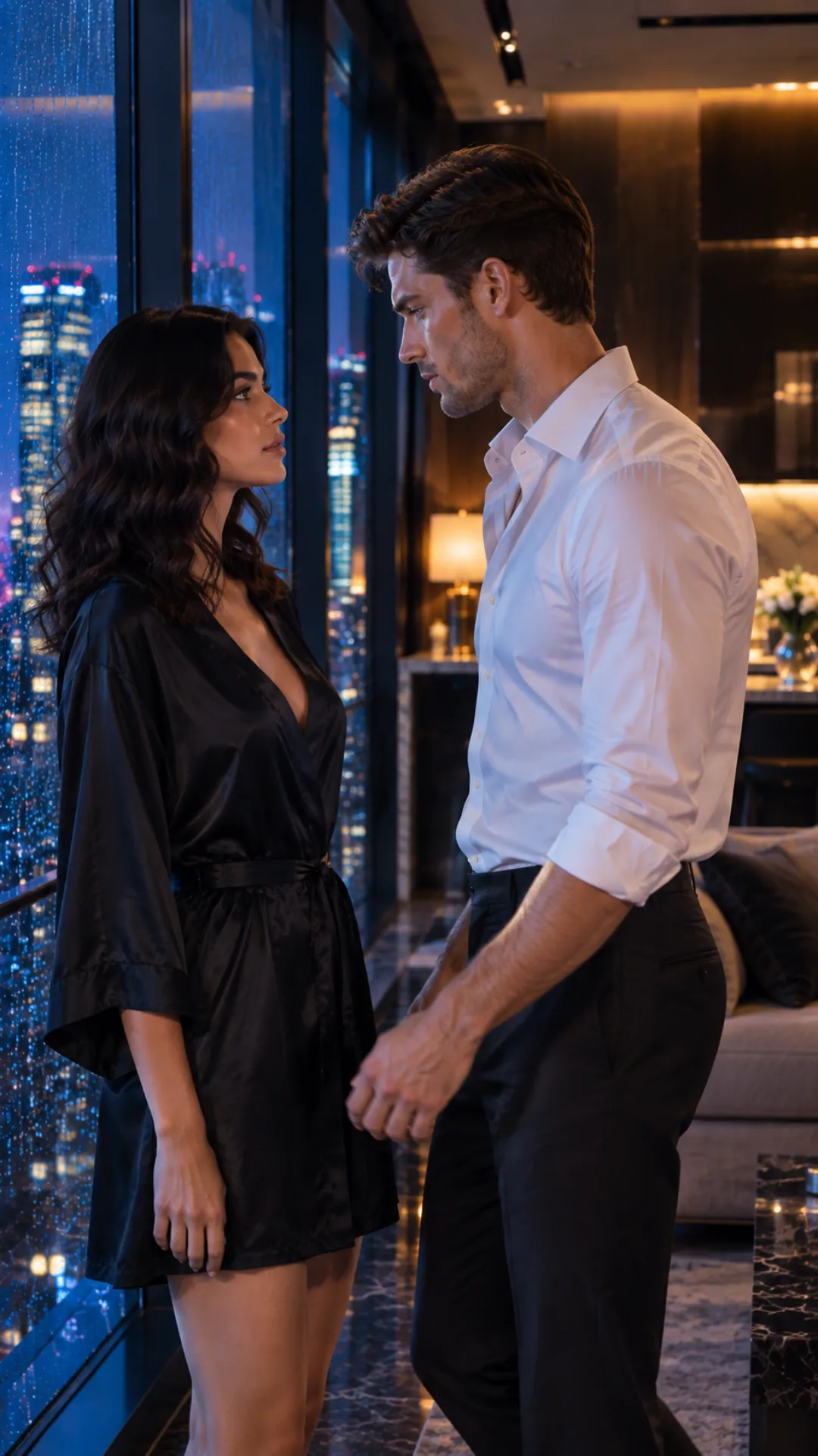
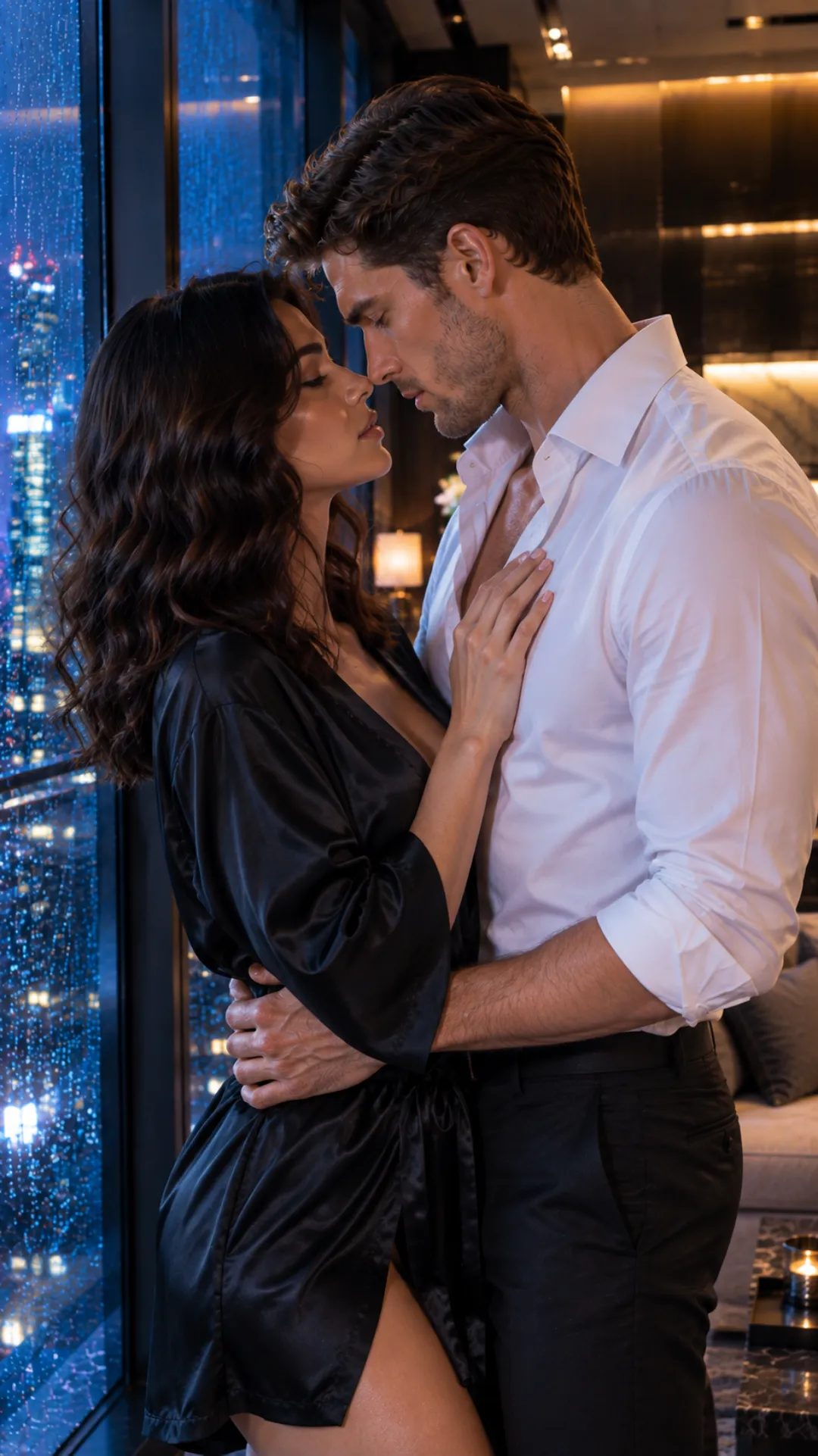
Keep Each Time Block Focused
These time ranges are not frame-accurate guarantees. They provide a flexible order for the scene: a quieter sequence may spend longer on development and reaction, while a faster one may reach its main action earlier.
Give each block one primary action, one camera task, and one continuity target. This does not mean everything else must remain still; it establishes which change matters most. Avoid asking the camera to orbit, push in, cut to a close-up, and switch viewpoints while the characters are also performing a complex action. Decide what changes during the block and what cannot be allowed to drift.
Choose References and Continuity Priorities
Select references after the timeline is clear. Each asset should have one defined role: character identity, setting, movement, camera behavior, visual style, or audio. References that present competing faces, body shapes, poses, or environments can pull the result in different directions. More material does not automatically create more control.
For an NSFW Seedance 2.5 scene, continuity priorities may include facial likeness, body proportions, clothing or nudity state, character placement, contact points, pose transitions, gaze direction, and camera distance. Not every detail needs equal emphasis in every block. Focus on the features whose change would make the scene visibly fail.
Think of the total complexity as a continuity budget, not a Seedance setting. Every additional subject, close interaction, pose change, camera move, location shift, and audio cue adds another relationship the model must maintain. If physical interaction is the focus, keep the environment and camera controlled. If the camera journey carries the scene, simplify the number of simultaneous body movements.

How to Write a Seedance 2.5 30-Second Prompt
Once the scene has a timeline, the prompt should work on two levels: global direction and time-specific direction.
Global direction defines the rules that should hold across the entire video: what the scene is trying to achieve, who the characters are, which visual details identify them, how the setting looks, what each reference controls, the overall camera language, the sound environment, and where the scene should end.
Time-specific direction describes what changes inside each block. It should focus on actions, reactions, camera adjustments, and transitions. It does not need to repeat the complete character description every five seconds.
This distinction keeps a Seedance 2.5 30-second prompt from becoming unnecessarily long. More importantly, it separates the details that must remain stable from the events that are supposed to change.
Begin with One Scene Goal
The scene goal should summarize the complete visual progression in one or two sentences. It is not a list of every action. It tells Seedance what the 30 seconds should become.
A useful scene goal identifies:
- Who the scene follows
- What relationship or transformation develops
- Where it takes place
- What the final moment should communicate
For example, “Create a slow, intimate scene that develops from distance to close physical contact and ends with both characters framed together by the window” gives the sequence a direction. It leaves the timeline to decide how that change happens.
Define the Subject Anchors Once
Subject anchors are the details that preserve identity while the action changes. For a Seedance 2.5 NSFW prompt, these may include age presentation, facial features, hair, body proportions, skin tone, clothing or nudity state, and distinguishing details such as jewelry or tattoos.
Write these details once near the beginning. Assign each subject a simple name or role, such as Character A and Character B, then use those labels throughout the timeline.
Repeating the complete appearance description inside every time block can make the prompt longer without making the direction clearer. Repeat a feature only when a specific moment puts it at risk—for example, when a character turns away from the camera, becomes partially hidden, changes pose, or moves behind another subject.
Assign a Role to Every Reference
A reference should control something specific. One image may establish a character’s identity, another may define the room, while a video reference may guide movement or camera rhythm.
State what should be taken from each reference and what should not. A motion reference does not necessarily need to replace the character’s appearance. A setting image does not need to control the people in the scene.
Use the reference labels available in the selected interface. The structure may look like this:
@Image 1: Character A’s face, hair, body proportions, and clothing
@Image 2: Character B’s appearance
@Image 3: Room layout, lighting, and color palette
@Video 1: Movement pace and camera behavior only
This makes the hierarchy visible instead of leaving Seedance to infer why each asset was uploaded.
Separate Camera Direction from Character Action
Character movement and camera movement are different instructions. Describe them separately so the camera does not compete with the performance.
Start with an overall camera approach, such as a continuous handheld take, a restrained dolly movement, or a sequence of controlled cuts. Within the timeline, mention only the camera changes needed for that moment.
If the camera is already circling the subjects, avoid adding a push-in, angle change, close-up, and focus shift inside the same short block. The movement may be visually interesting, but it gives the model several framing decisions to resolve while it is also trying to maintain the characters and their interaction.
Give Audio Its Own Direction
Audio should support the same progression as the image. Define whether the scene uses dialogue, breathing, fabric movement, room ambience, environmental sound, music, or silence.
Place sounds at the moment they matter rather than listing them as unrelated atmosphere. If a line of dialogue, sound cue, or change in music needs to occur during a particular beat, include it in that time block. Keep the general audio environment in the global direction.
Define the Ending Before Generation
The final seconds should complete the scene rather than introduce another unfinished action. Describe the last pose, character arrangement, camera framing, visual mood, and any sound that should remain as the image settles.
A clear ending state also gives you a more useful result if the video later needs to be extended, edited, or connected to another clip.
Reusable Seedance 2.5 30-Second Prompt Framework
The labels below are a writing framework, not required Seedance syntax. Replace the bracketed fields and adapt the number or length of time blocks to the scene.
SCENE GOAL
Create a 30-second [visual style and scene type] in which [subjects] move from [opening state] to [final outcome]. The scene takes place in [setting] and should feel [mood and atmosphere].
SUBJECT ANCHORS
Character A: [age presentation, face, hair, body proportions, skin tone, clothing or nudity state, identifying details].

Character B: [age presentation, face, hair, body proportions, skin tone, clothing or nudity state, identifying details].

Preserve [essential identity and continuity details] throughout the video.
REFERENCE ROLES
@[Reference 1]: Use for [specific character or object identity].
@[Reference 2]: Use for [setting, composition, or lighting].
@[Reference 3]: Use for [movement, camera behavior, style, or audio].
Do not transfer [unwanted identity, setting, movement, or style information] from this reference.
CAMERA DIRECTION
Use [overall shot structure and camera style]. Keep [camera behavior that should remain consistent]. Change the framing only when specified below.
AUDIO DIRECTION
Use [dialogue, ambience, breathing, movement sounds, music, or silence]. Keep the sound natural to the room and synchronized with visible movement.
TIMELINE
0–5s — Start:
[Opening position and first visible action].
Camera: [one camera task].
Maintain: [primary continuity target].

5–11s — Development:
[Next action or change].
Camera: [one camera task].
Maintain: [primary continuity target].

11–20s — Main Action:
[Central movement or interaction].
Camera: [one camera task].
Maintain: [primary continuity target].

20–26s — Reaction:
[Response, pause, expression, or change in pace].
Camera: [one camera task].
Maintain: [primary continuity target].

26–30s — Ending State:
[Final pose, arrangement, reveal, or visual hold].
Camera: [final composition].
Audio: [final sound or silence].
End with [specific stable final state].
CONTINUITY CONSTRAINTS
Do not add [unwanted characters, props, clothing changes, location changes, camera cuts, text, or other distractions]. Preserve [highest-priority visual and spatial relationships] from beginning to end.
Example: A 30-Second NSFW Seedance 2.5 Scene
SCENE GOAL
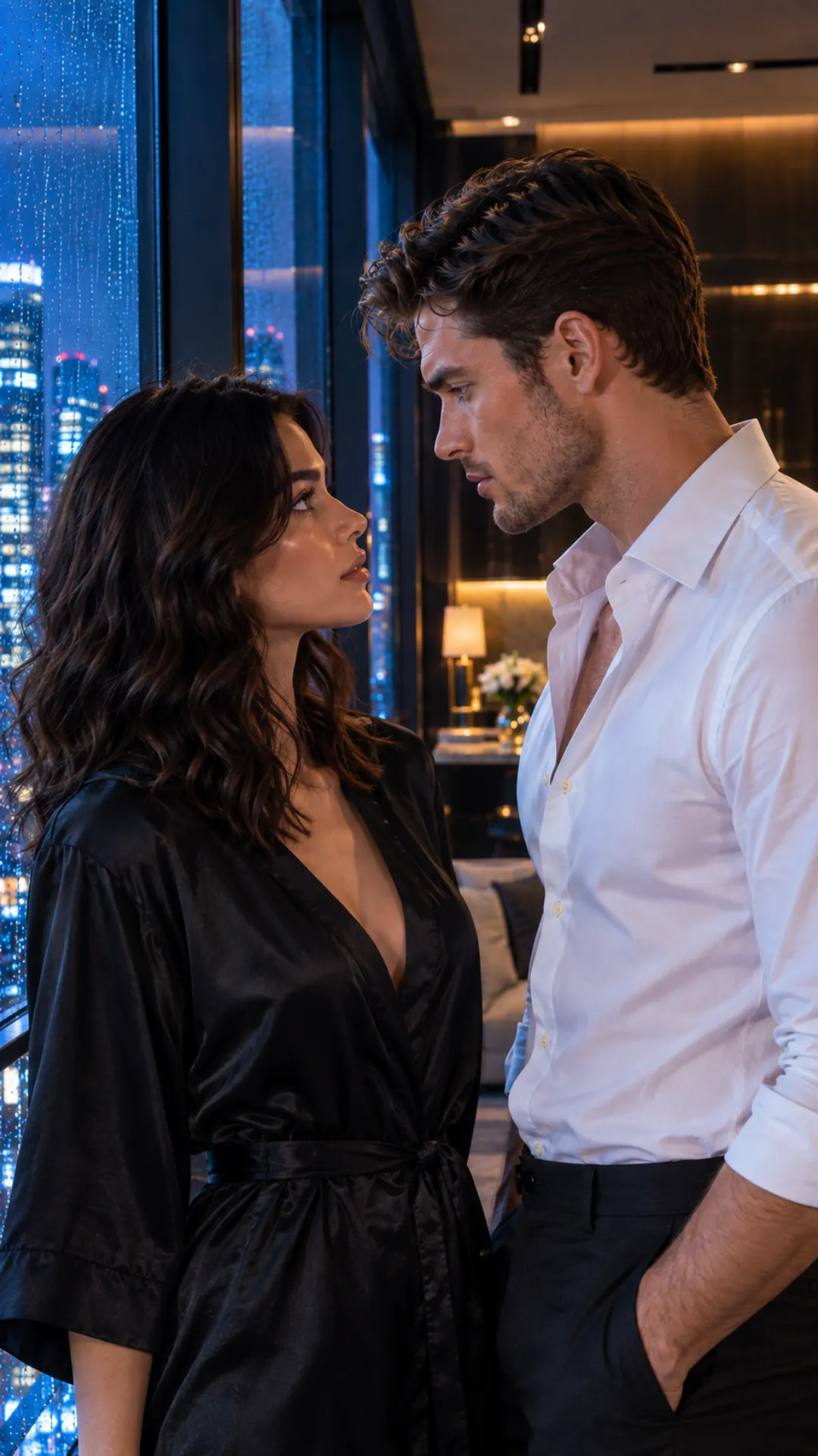
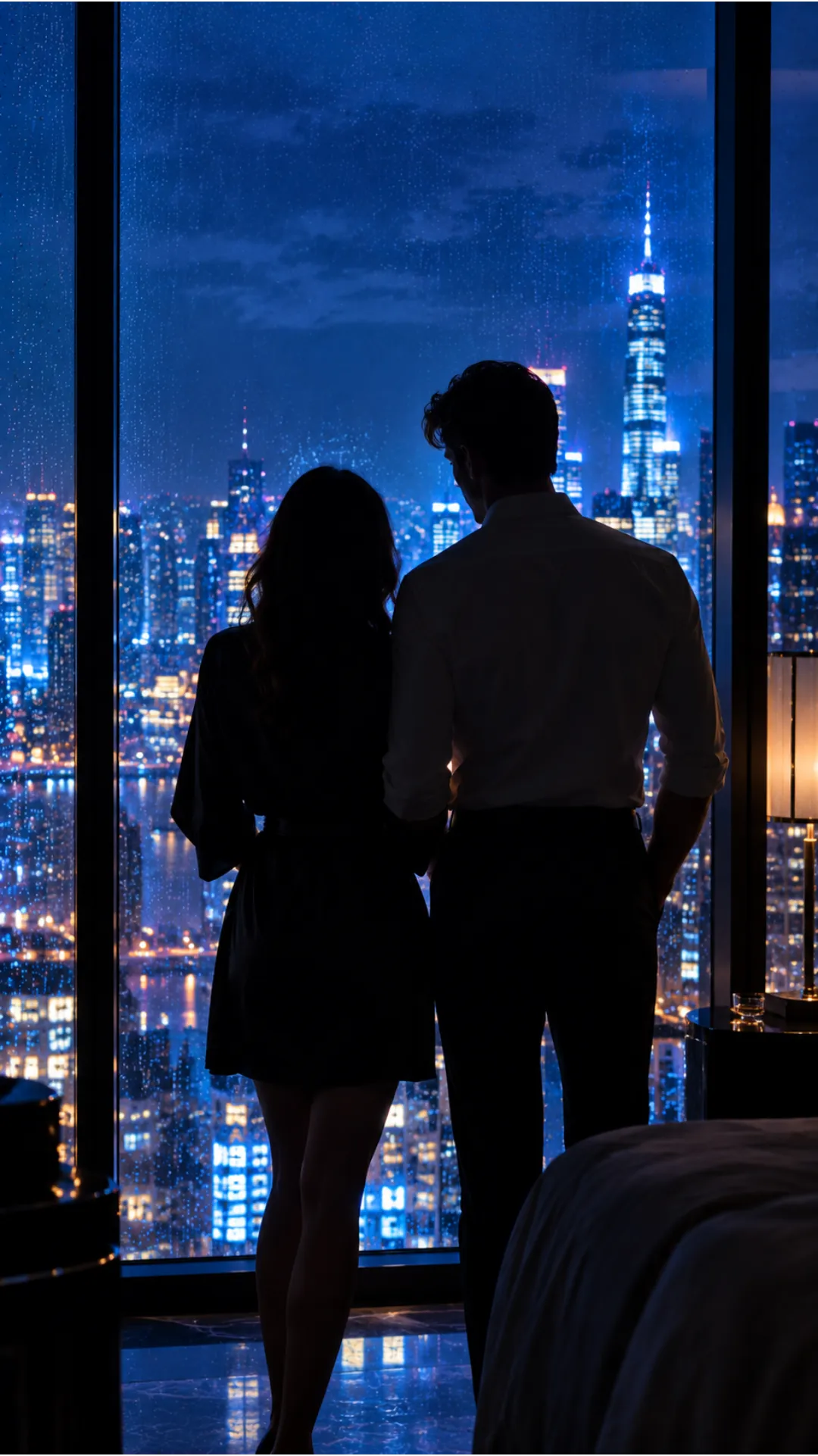
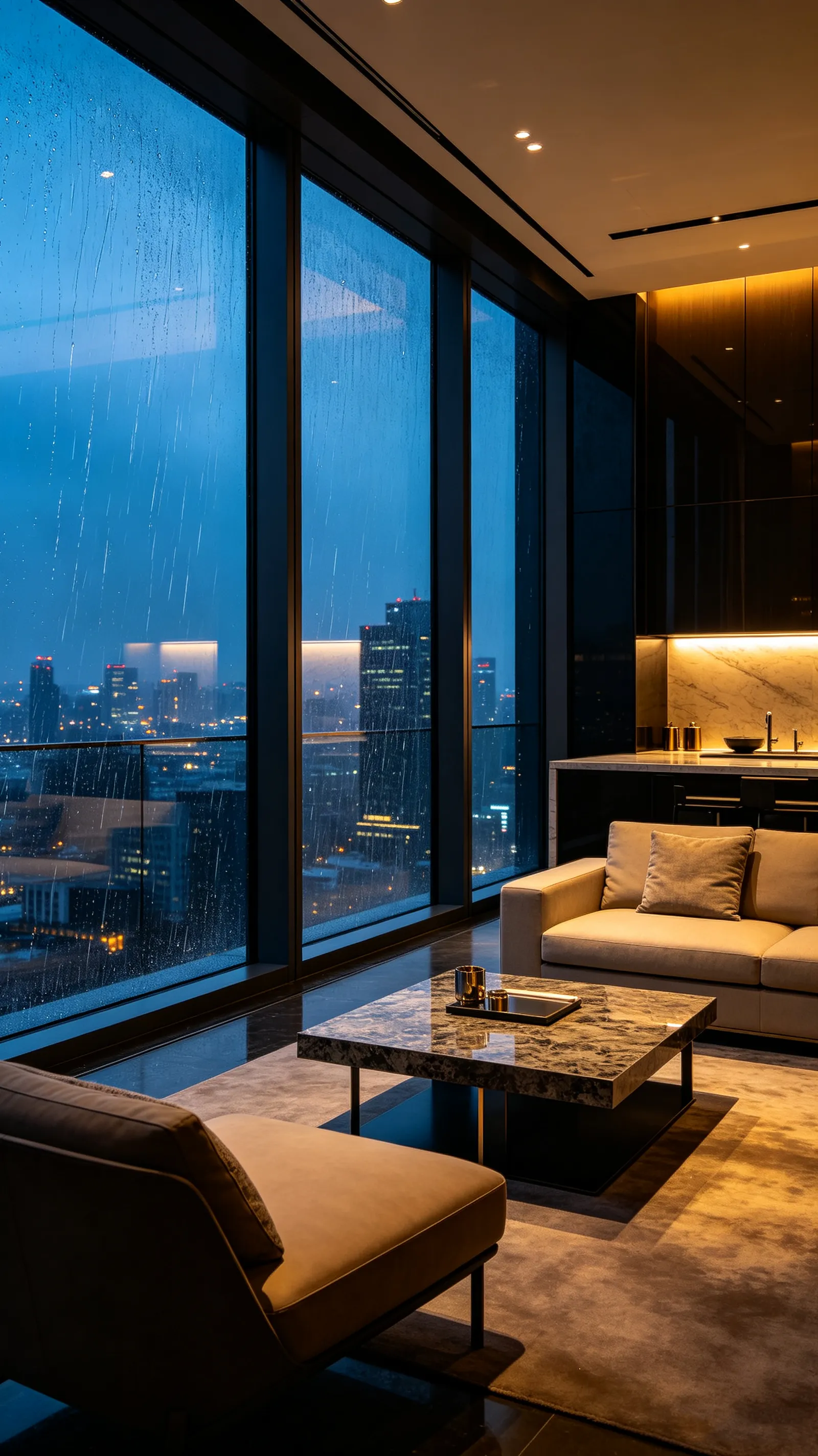
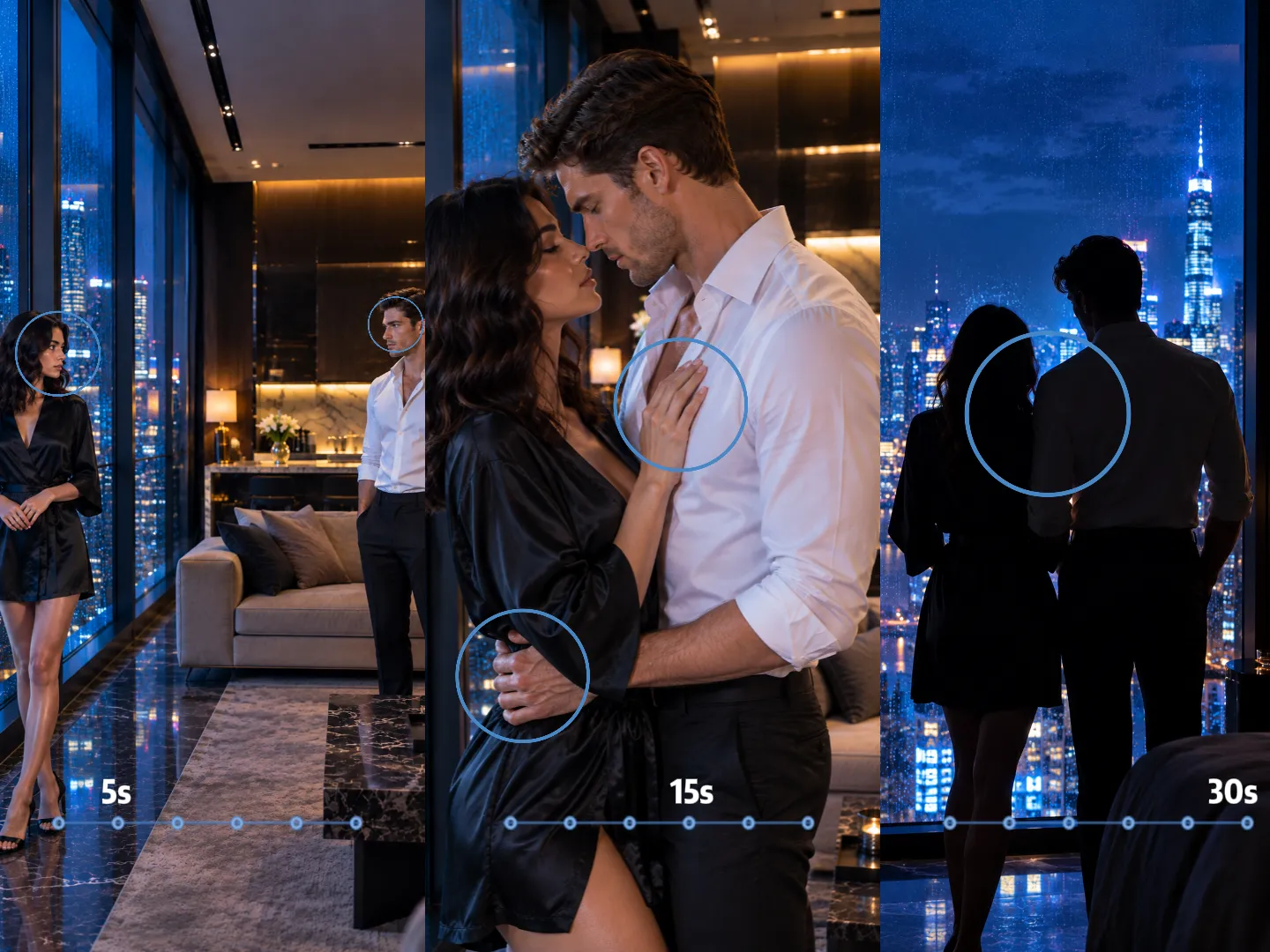
Create a 30-second uncensored cinematic scene featuring two consenting characters, both clearly over 25, in a private penthouse suite at night. The scene develops from quiet eye contact into a close intimate embrace and ends with both characters held in silhouette beside the window.
SUBJECT ANCHORS
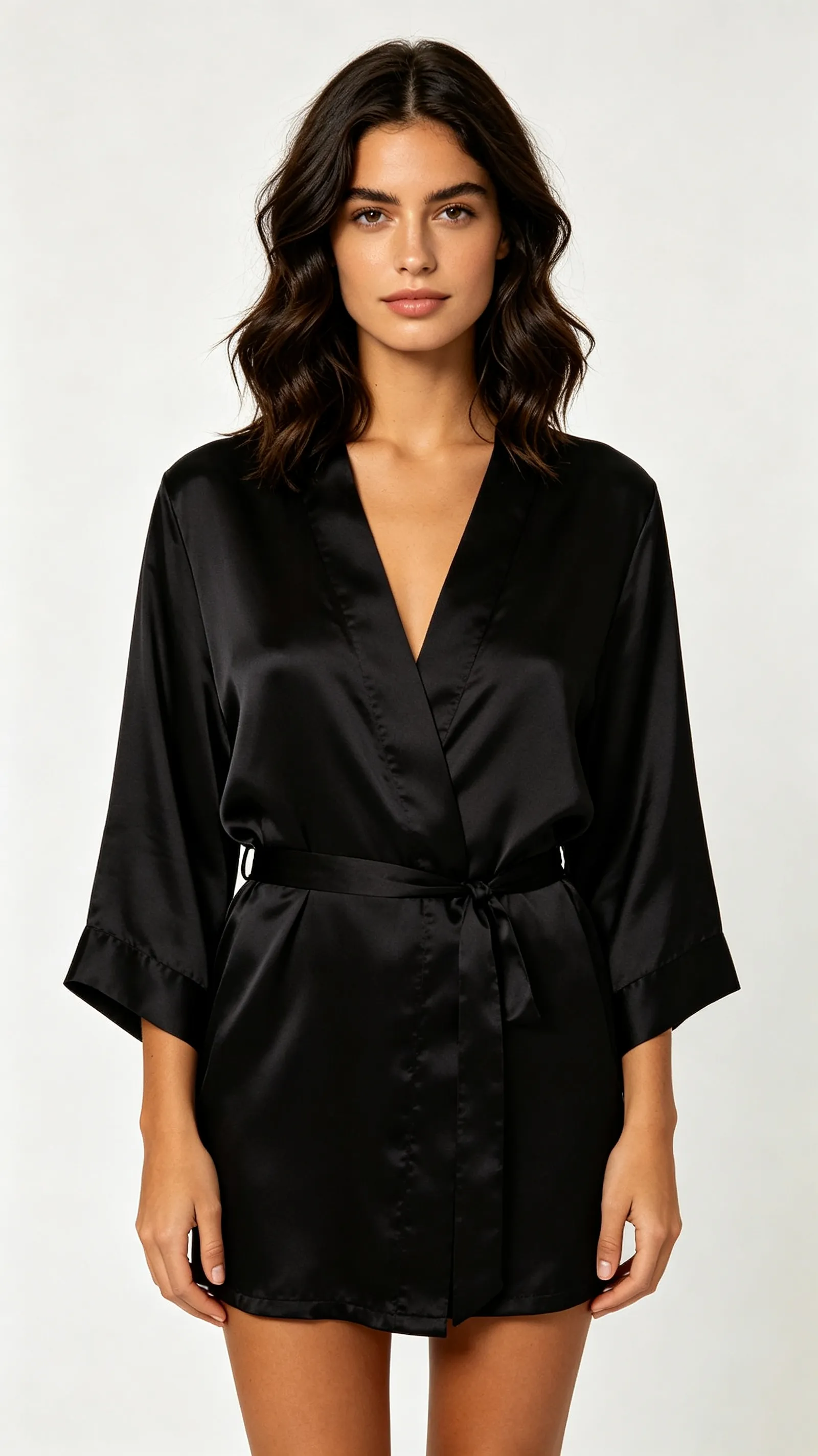
Character A is a 28-year-old woman with shoulder-length dark wavy hair, warm olive skin, natural facial detail, and balanced body proportions. She wears a loose black silk robe over matching lingerie.

Character B is a 31-year-old man with short dark hair, light stubble, an athletic build, an open white shirt, and black trousers.

Keep both faces, body proportions, hairstyles, skin tones, and identifying features consistent throughout the scene.
REFERENCE ROLES
@Image 1 defines Character A’s identity, body proportions, hair, and robe.
@Image 2 defines Character B’s identity and clothing.
@Image 3 defines the penthouse layout, window position, warm interior lighting, and blue city light outside.
@Video 1 guides the slow pace of the approach and embrace only. Do not copy the people, clothing, or background from the video.
CAMERA DIRECTION
Use one continuous cinematic take with a restrained slow push-in. Keep the camera at chest height and avoid sudden cuts, rapid orbiting, or unnecessary changes of viewpoint.
AUDIO DIRECTION
Use quiet rain against the windows, soft room ambience, natural breathing, and subtle fabric movement. No dialogue and no background music.
TIMELINE
0–5s — Start:
Character A stands beside the window while Character B remains several steps behind her. She turns her head and meets his gaze.
Camera: Hold a medium-wide composition and begin a very slow push-in.
Maintain: Both identities, the room layout, and the distance between them.

5–11s — Development:
Character B approaches at an unhurried pace. Character A turns to face him as the robe shifts naturally with her movement.
Camera: Continue the same slow push without changing sides.
Maintain: Facial likeness, body proportions, lighting, and screen direction.

11–20s — Main Action:
They move into a close, consensual embrace. Character A places one hand against his chest as he holds her at the waist. Their movement remains slow and connected while the robe falls loosely from one shoulder.
Camera: Move into a controlled medium-close shot.
Maintain: Hand placement, physical contact, pose integrity, and both faces.

20–26s — Reaction:
They pause, separate slightly, and exchange a quiet look while remaining close. Character A turns partly toward the window.
Camera: Shift focus gently from their hands to their expressions.
Maintain: Character identity, body orientation, and their position in the room.

26–30s — Ending State:
Both characters settle beside the window in a composed intimate silhouette. Their movement slows to a natural hold as the city light frames them.
Camera: Stop the push-in and hold the final composition.
Audio: Leave only rain, breathing, and room ambience.
End with both characters stable and fully visible in the established space.
CONTINUITY CONSTRAINTS
Do not add other people, props, dialogue, text, or location changes. Keep the same faces, body proportions, clothing state, room layout, lighting direction, and intimate visual tone throughout the video.
Why Seedance 2.5 30-Second Videos Go Wrong—and What to Change
A failed 30-second generation does not always mean the entire prompt is wrong. The first step is to identify where the result stops following the plan.
If the opening works but the main action arrives too early, the problem is probably timing. If the sequence remains in order but a character changes after a camera move, the problem is more likely continuity. If the scene repeatedly breaks during close physical contact, simplifying the wording may not be enough; the interaction itself may be asking the model to maintain too many changing relationships at once.
Diagnose the visible symptom first, then change the smallest part of the workflow that could reasonably cause it.
The Action Happens Too Early, Too Late, or Out of Order
What it looks like: The main action begins in the opening seconds, a planned reaction appears before the event that causes it, or the final action never happens.
Likely cause: Several actions have been given similar importance without enough timing hierarchy. Seedance may prioritize the most visually dominant instruction, compress several beats together, or spend too much of the video establishing the opening.
What to change first: Rebalance the timeline instead of adding more description. Give the delayed action a larger time block, reduce the number of events before it, and make the transition into that action visible. If the first ten seconds contain an entrance, a wardrobe change, a camera orbit, dialogue, and physical interaction, decide which of those events actually moves the scene forward.
Do not solve a timing problem by repeating the same instruction in every block. That can increase its importance without making its intended position clearer.
The Middle of the Video Feels Empty or Repetitive
What it looks like: The opening establishes the scene successfully, but the characters then hold the same pose, repeat a movement, or appear to wait for the next instruction.
Likely cause: The development block describes a mood or state but does not contain a visible change. Another possibility is that the concept does not contain enough progression to justify the full 30 seconds.
What to change first: Add one clear transition to the empty block: a change in distance, position, gaze, pace, expression, or camera framing. The new action should connect the opening to the main event rather than introduce a separate idea.
If the scene is already complete in 12 or 15 seconds, shorten it. More duration is useful only when something meaningful develops during that time. Stretching a single pose or simple movement to 30 seconds gives the model room to improvise, loop, or drift.
The Character’s Face, Body, or Clothing Changes
What it looks like: Facial features shift after a turn or close-up, body proportions change during movement, hair or clothing transforms, or one character begins to resemble another.
Likely cause: The identity anchor may be too vague, several references may present competing appearances, or the scene may contain too many cuts, occlusions, pose changes, and viewing angles for the character to remain visually stable.
What to change first: Select one primary identity reference for each character. Move appearance details into the global subject anchors, then repeat only the most important feature near the moment where drift begins. Simplify unnecessary camera changes and remove references that introduce a different face, body shape, hairstyle, or clothing state.
For a Seedance 2.5 NSFW video, decide which visual details are essential to continuity. Trying to preserve every minor feature can make the prompt harder to read; failing to define any priorities leaves the model free to reinterpret the character. Face, body proportions, identifying marks, hair, and the intended clothing or nudity state usually matter more than decorative background details.
If one short part of an otherwise successful video changes, use targeted editing when the selected workflow provides it. If the character starts drifting halfway through and never recovers, splitting the scene near that point will usually provide more control than repeatedly regenerating all 30 seconds.
Close Physical Interaction Becomes Distorted
What it looks like: Hands merge into bodies, limbs become difficult to assign to the correct person, contact points move unexpectedly, poses collapse, or one subject passes through another during a transition.
Likely cause: Close interaction requires the model to maintain anatomy, depth, contact, motion, and identity at the same time. Sudden pose changes, overlapping bodies, strong occlusion, moving cameras, and multiple simultaneous actions increase that load.
Even in a fully uncensored workflow, content access and physical plausibility are separate issues. Removing a content filter does not remove the model’s difficulty with complex anatomy or multi-subject contact.
What to change first: Break the interaction into visible stages. Establish the starting positions, introduce one point of contact, allow the movement to settle, and then continue into the next pose. Keep the camera stable during the most complex transition and avoid hiding the exact moment of contact behind an unnecessary angle change.
A motion or video reference can clarify pace and body direction, but it should not compete with identity references. If the same interaction fails repeatedly at the same moment, reduce the duration of that action, simplify the contact, or generate it as a separate clip. At that point, the failure may reflect a model boundary rather than missing prompt detail.
The References Pull the Result in Different Directions
What it looks like: The output combines two faces, inherits the wrong body shape, copies a background from a motion reference, changes visual style between shots, or follows one reference while ignoring the others.
Likely cause: Multiple assets have been assigned the same job, or their roles were never stated. Seedance has to decide whether a reference controls identity, movement, composition, camera behavior, lighting, or style.
What to change first: Remove every reference that does not solve a specific problem. Keep one clear source for each character’s identity, one source for the environment when needed, and only the motion, camera, or audio references that materially affect the scene.
Then describe the role of each asset in direct language. If a video should guide movement but not appearance, say so. If an image defines the room but not the characters, make that boundary clear. Test the smallest useful reference set before adding more material.
The Characters or Objects Change Position Between Shots
What it looks like: Characters switch sides of the frame, a bed or window moves, the direction of travel reverses, or the camera enters a space that no longer matches the opening shot.
Likely cause: The prompt describes what each shot should contain but does not preserve the relationships between them. Frequent cuts, dramatic viewpoint changes, and loosely defined room layouts make spatial continuity harder to maintain.
What to change first: Establish the important spatial relationships in the opening state. Define who stands on which side, where the main objects are, which direction the subjects move, and whether the camera remains inside the same area.
During later blocks, describe changes relative to that established space rather than rebuilding the room from scratch. If location continuity matters more than visual variety, use fewer cuts and smaller changes in camera position.
The Camera Ignores the Direction
What it looks like: A requested push-in becomes an orbit, the camera cuts when the scene should remain continuous, the framing changes too quickly, or the subject moves while the camera remains static.
Likely cause: The prompt contains several camera instructions that cannot happen comfortably within the same moment. Character action may also be receiving more emphasis than the intended framing.
What to change first: Choose one overall camera language for the complete scene. Within each block, add only the adjustment required at that moment. Replace a sequence such as “orbit, push in, switch to a low angle, cut to a close-up” with one primary move and a clearly defined final framing.
Camera instructions should support the action rather than compete with it. During complicated physical movement, a controlled camera often produces a more readable result than continuous visual spectacle.
Audio and Movement Do Not Match
What it looks like: Dialogue begins at the wrong moment, a sound effect occurs before the action, breathing or fabric sounds continue after movement stops, or music overwhelms the intended atmosphere.
Likely cause: Too many audio events may be competing across the same time block, or the prompt may describe sound globally when it is expected to occur at one specific moment. Long or tightly timed dialogue creates another layer of synchronization for the model to maintain.
What to change first: Keep the general ambience in the global audio direction and place important dialogue or sound cues inside the relevant time block. Reduce overlapping dialogue, music, environmental sound, and physical effects until the primary cue is clear.
If the scene depends on exact dialogue timing, shorten the spoken line or separate the dialogue-heavy moment from the most complex movement. When the selected workflow supports local audio editing, correct an isolated sound problem instead of regenerating a visually successful scene.
The Video Ends in the Middle of an Action
What it looks like: A new pose begins in the final seconds, a character starts to speak as the video cuts, the camera is still moving, or the main interaction has no visible resolution.
Likely cause: The main action occupies too much of the timeline, or the ending block introduces a new event instead of settling the scene. A prompt may describe how the video begins and develops without defining what the final frame should contain.
What to change first: Reserve the last few seconds for completion. Move the final major action earlier, then specify the position of each character, the camera framing, the remaining movement, and the sound that should carry into the final hold.
An ending does not need to be static, but it should feel intentional. A slow breath, a settled embrace, a look toward the camera, a separation, or a controlled pullback can complete the scene without creating another unfinished beat.
Choose the Smallest Fix That Matches the Failure
Use the failure pattern to decide what to change:
- The story is correct but the timing is wrong: Reallocate the time blocks.
- One block contains too many actions: Remove or separate actions before rewriting the whole prompt.
- A character changes after a particular shot: Strengthen the identity anchor and simplify that camera transition.
- References produce mixed identities or styles: Reduce the reference set and assign clearer roles.
- One short region is wrong but the rest works: Use local editing when available.
- The second half repeatedly loses continuity: Shorten the generation or split it into two planned clips.
- The same complex interaction fails across multiple attempts: Simplify the movement or accept that the current model route may not execute it reliably.
- The entire result misunderstands the scene: Revisit the scene goal and reference hierarchy before changing individual time blocks.
Change one layer at a time whenever possible. If the timeline, references, camera, audio, and subject descriptions are all rewritten together, a better result will not reveal which change solved the problem. A controlled revision is easier to evaluate—and far more useful for the next Seedance 2.5 generation.
Final Takeaway: Give Every Second a Purpose
Seedance 2.5 does not make a scene better simply by making it longer. The full 30 seconds becomes useful when the video has a clear opening, controlled progression, central moment, and ending that feels complete.
Decide what should change, protect what must remain consistent, and give every part of the timeline a clear purpose. When something fails, revise the layer that failed instead of rebuilding the entire scene.
A fully uncensored workflow removes one creative barrier, but it does not remove the need for direction. Strong Seedance 2.5 NSFW videos still depend on deliberate pacing, stable characters, readable interaction, and an ending planned before generation begins.
Bring your timeline, references, and final scene direction into NSFWSeedance to create a 30-second uncensored video for 18+ use.
Create Your 30-Second NSFW Video