A Huangguo-style AI video is not created as one uninterrupted generation. It is assembled from planned shots, each with a specific character, location, action, composition, and purpose within the larger sequence.
A publicly shared breakdown of a Huangguo video makes this shot-based production logic visible. Character designs, scene assets, keyframes, motion direction, audio requirements, generated clips, and post-production all pass through separate production stages. Seedance 2.5 enters this process after the creative materials have been prepared and a shot is ready to become motion.
This distinction matters. Seedance 2.5 can turn text, images, video references, audio direction, and existing footage into usable clips, but it should not be expected to make every creative and production decision at once. Better results begin with a clear shot assignment, continue through controlled generation, and end with an informed decision about whether the clip should be regenerated, edited, extended, or sent to post-production.
This guide focuses on that production layer: organizing approved assets, choosing the right Seedance 2.5 control, maintaining continuity across shots, and repairing clips without restarting an entire sequence.
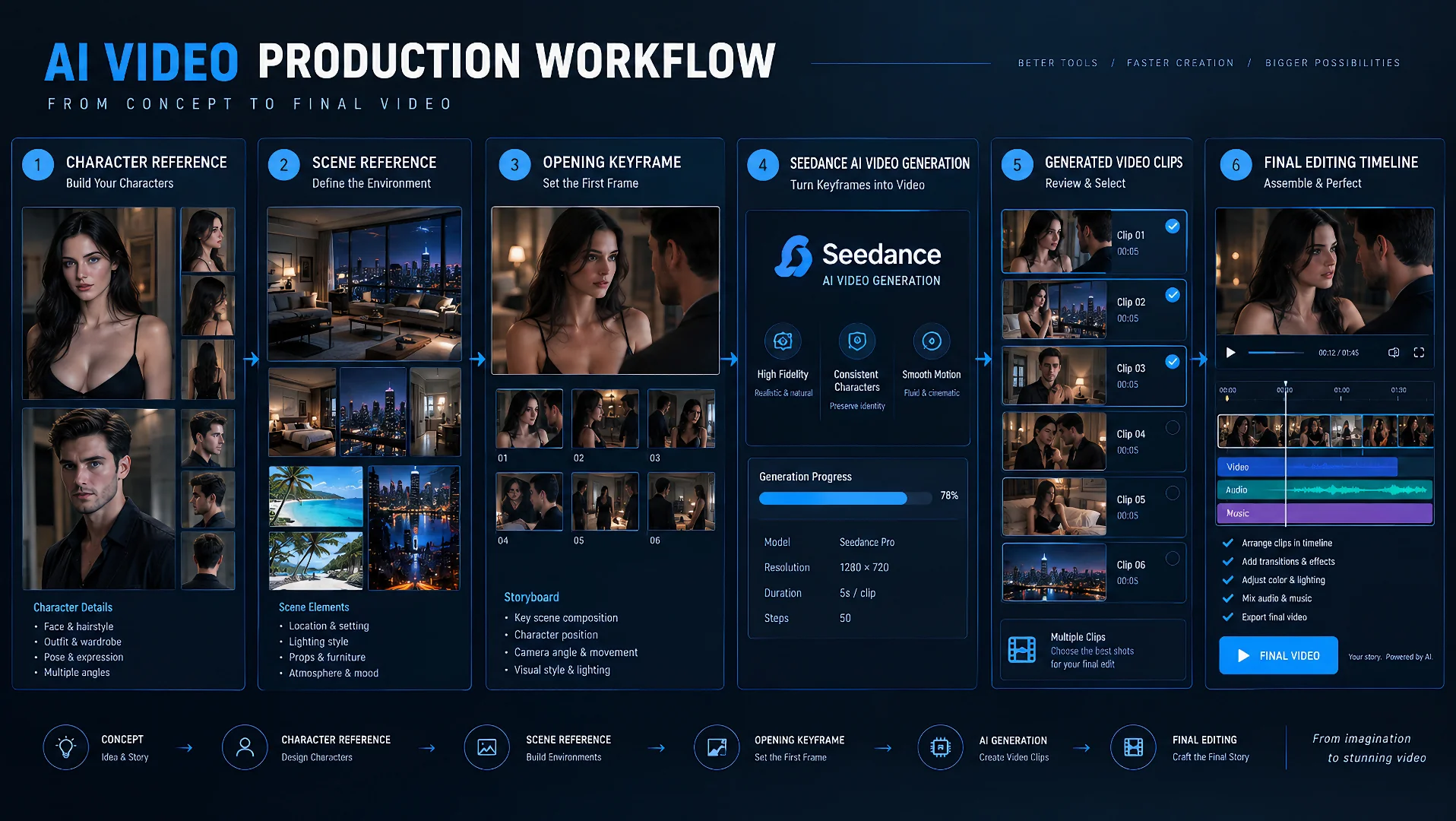
What Huangguo Reveals About Shot-Based AI Video Production
The most useful lesson from Huangguo is not a particular tool or generation setting. It is the decision to treat each shot as a separate production unit.
A longer scene may contain an establishing shot, a character entrance, a closer interaction, a reaction, and an ending image. Although these shots belong to the same sequence, they do not necessarily need the same inputs or generation method. One may begin from text, another from an approved keyframe, and another may need a motion or audio reference.
This approach gives the creator more control over what happens in each part of the finished video. It also makes problems easier to isolate. If one clip loses the character’s appearance or mishandles an action, that shot can be corrected without rebuilding the entire sequence.
The unit Seedance receives should therefore be more specific than “generate this story.” It should be a defined shot task with a beginning, a primary action, a camera intention, and an ending state.
A visually attractive result is not automatically a usable shot. It must also connect to the material before and after it. That depends on three stages working together:
- Production assets establish what the shot should contain.
- Seedance turns those assets into motion.
- Human review decides whether the result can enter the final edit.
Approve the Shot Before It Enters Seedance
In a Huangguo-style pipeline, approved assets should not move directly into generation. They must first be converted into a specific shot assignment.
Before starting the generation, answer six questions.
What Must Happen?
Define the visible event that gives the shot a reason to exist. Avoid combining several equally important actions. If the shot must introduce a character, change the relationship between two characters, and reveal a location simultaneously, decide which of those is the main event.
Who Appears?
Confirm which characters belong in the frame and which reference controls each identity. When two characters appear, state their positions and roles clearly enough that the model does not exchange their appearance or actions.
Where Does It Happen?
Choose one approved version of the location. Room arrangement, lighting direction, furniture placement, and time of day should already be decided if they need to remain recognizable across several clips.
How Should the Shot Begin?
Specify the opening composition. This may be an approved keyframe, an existing final frame from the previous shot, or a written description of character placement and camera distance.
What Should Move or Be Heard?
Separate character movement from camera movement. Then identify whether dialogue, environmental sound, music, or rhythm needs to guide the performance.
What State Must the Shot End In?
The ending should prepare the next shot. Record the final pose, gaze direction, location in the frame, camera distance, and any important object or clothing state that must carry forward.
These six answers do not need to become a long prompt. Their purpose is to remove unresolved production decisions before generation begins.
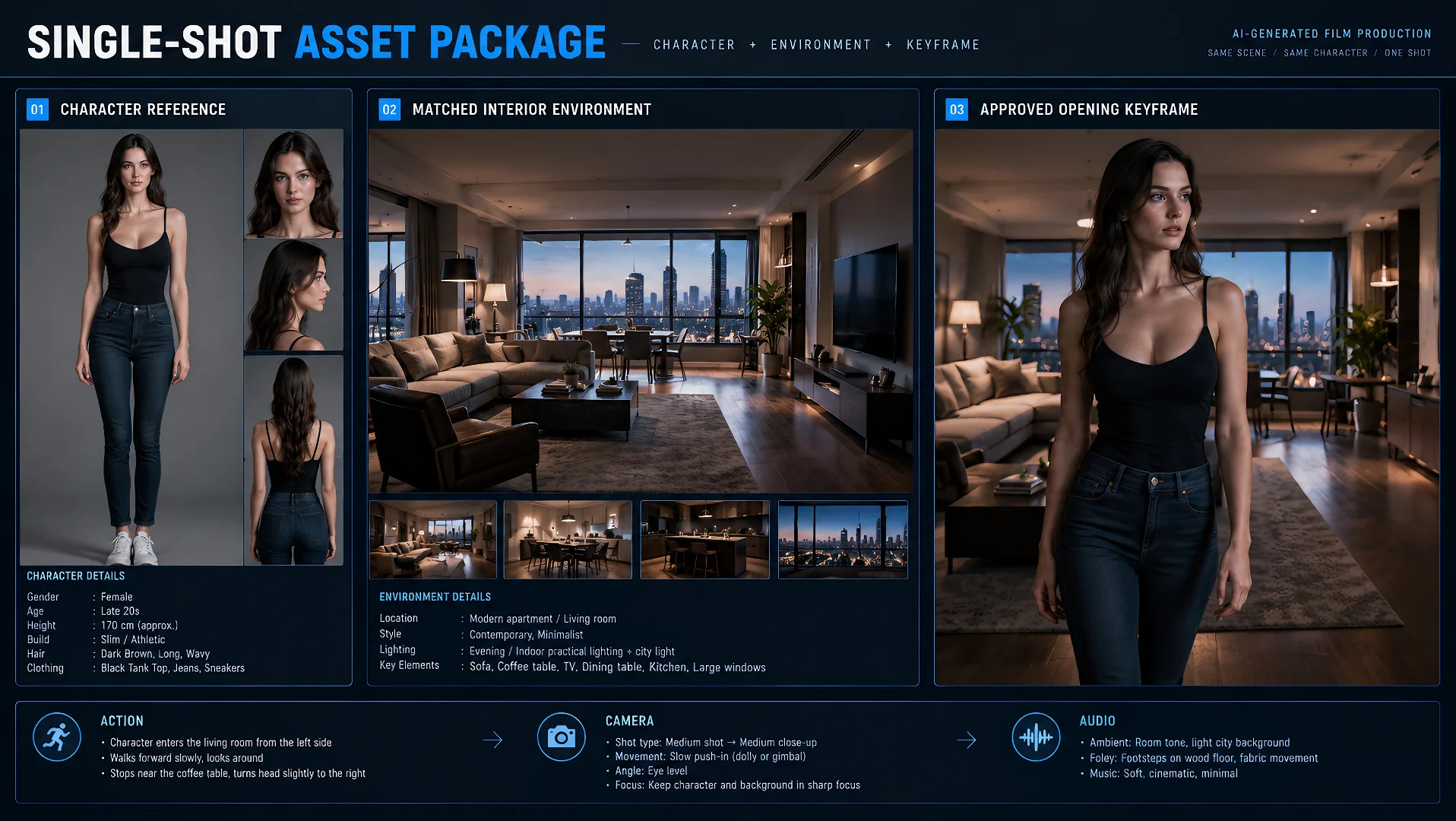
Build a Seedance Shot Package the Model Can Follow
A Seedance Shot Package gathers everything needed for one shot into a compact production brief. It keeps references organized and prevents the generation request from becoming a mixture of unresolved ideas.
Copy this template and complete one Shot Package for every video shot before generation.
Seedance Shot Package Template
SHOT ID:
SHOT GOAL:

CHARACTER ASSETS:
- Character A:
- Character B:

LOCATION ASSETS:

OPENING COMPOSITION:

PRIMARY ACTION:

CAMERA DIRECTION:

AUDIO DIRECTION:

CONTINUITY NOTES:

ALLOWED VARIATION:

ENDING STATE:
The first group of fields establishes the production context. Shot Goal explains why the clip exists. Character Assets and Location Assets identify the approved materials. Opening Composition records what the viewer should see before the action develops.
Four fields deserve more careful attention because they directly affect whether the generated shot remains usable.
Primary Action
The primary action is the change the viewer should notice most clearly. Describe it as a progression rather than a list of poses.
A useful direction identifies:
- Who begins the movement
- How the other character or environment responds
- Where the action develops
- What completes the action
Secondary movement can still occur, but it should support the central event. When several actions compete for attention, the model may compress them, change their order, or omit one entirely.
Continuity Notes
Continuity notes describe what must carry over from the previous shot. They should focus on visible information rather than restating the entire character description.
Useful continuity notes may include:
- Character position within the room
- Hair, clothing, or accessory state
- Body and gaze direction
- Lighting and time of day
- Camera side and distance
- Objects already being held or moved
- The emotional state established by the previous shot
These notes turn the ending of one clip into the starting conditions of the next.
Allowed Variation
Not every visible detail needs to be fixed. Allowed Variation tells the model where it has room to interpret the scene.
For example, facial micro-expressions, slight hand movement, fabric motion, background activity, or small camera adjustments may be allowed to vary. Identity, location layout, and the central action may remain fixed.
This distinction prevents a common mistake: asking for complete consistency while also requesting substantial creative change. Decide which details define the sequence and which details can remain flexible.
Ending State
The ending state is more than a final pose. It is the handoff to the next shot.
Record where each character ends, what direction they face, how close the camera is, and whether the action has concluded or should continue. A clear ending state makes it easier to generate the next clip, extend the current one, or select a clean edit point.
The completed Shot Package is not necessarily the final prompt. It is the production source from which the prompt and references are assembled. Each reference should have one clear responsibility, while the prompt explains what needs to happen in the new shot.
Choose the Right Seedance 2.5 Control for Each Shot
The correct generation route depends on what has already been approved. Begin with the strongest asset you have rather than forcing every shot through the same workflow.
Only a Scene Idea: Use Text-Led Generation
Start from text when the visual design is still open and the primary need is to explore the scene.
Define the character, location, main action, camera behavior, atmosphere, and ending state. Text-led generation is useful for testing different interpretations before committing to a specific opening image.
It is less suitable when exact character appearance or composition has already been approved.
An Approved Opening Frame: Use Image to Video
Use Seedance 2.5 I2V when a still image already contains the character, location, lighting, and opening composition you want.
The written direction should concentrate on what changes after that frame:
- Character performance
- Body movement
- Camera movement
- Environmental motion
- Sound or dialogue
- The intended ending state
Avoid repeatedly describing visual information the image already establishes unless that detail is especially important to preserve.
Separate Identity, Setting, or Motion Assets: Use Reference-Based Generation
Use reference-based generation when different materials must control different parts of the shot. One reference may establish the character, another the room, and another the movement or camera behavior.
Assign each reference a job. Do not upload several competing versions of the same identity, pose, or environment and expect the model to decide which one matters.
A useful reference map may look like this:
- Character image: identity and styling
- Location image: space, lighting, and visual atmosphere
- Motion reference: movement rhythm or camera behavior
- Audio reference: timing, voice, music, or performance energy
The prompt connects these materials by describing the new shot and stating which details must remain stable.
Performance Must Follow Sound: Use Audio Direction
When timing depends on dialogue, music, rhythm, or environmental sound, treat audio as part of the shot design from the beginning.
Identify what the viewer should hear, when it should occur, and which visible action it should accompany. Sound works best when it supports a clear performance rather than competing with several visual events.
The Existing Shot Is Partly Correct: Edit or Extend It
Do not rebuild a usable clip simply because one part needs attention.
Use editing when the shot already contains the right performance but a localized element needs to change. Use extension when the direction is correct but the motion, reaction, or transition needs more time to finish.
The route should follow the production problem. Start over only when the foundation of the shot is wrong.
Generate a Sequence, Not a Collection of Unrelated Clips
A sequence requires more than several attractive outputs featuring similar characters. The shots must feel as though they belong to the same place, time, and developing event.
Decide which information stays fixed across the sequence.
Keep These Elements Stable
- Facial identity and defining features
- Hair, clothing, and prominent accessories
- The approved version of the location
- Time of day and major lighting direction
- Basic spatial relationships between characters
- Important objects already introduced in the scene
Let These Elements Develop
- Expression and emotional intensity
- Character movement
- Camera distance and angle
- Camera movement
- Pace
- Small environmental reactions
The goal is controlled change. If everything remains fixed, the sequence feels static. If everything changes, the clips stop feeling connected.
Use the ending of one shot to prepare the next. If a character finishes near the bed on the right side of the frame, the following shot should not begin with that character on the opposite side of a different room unless the transition explains the change.
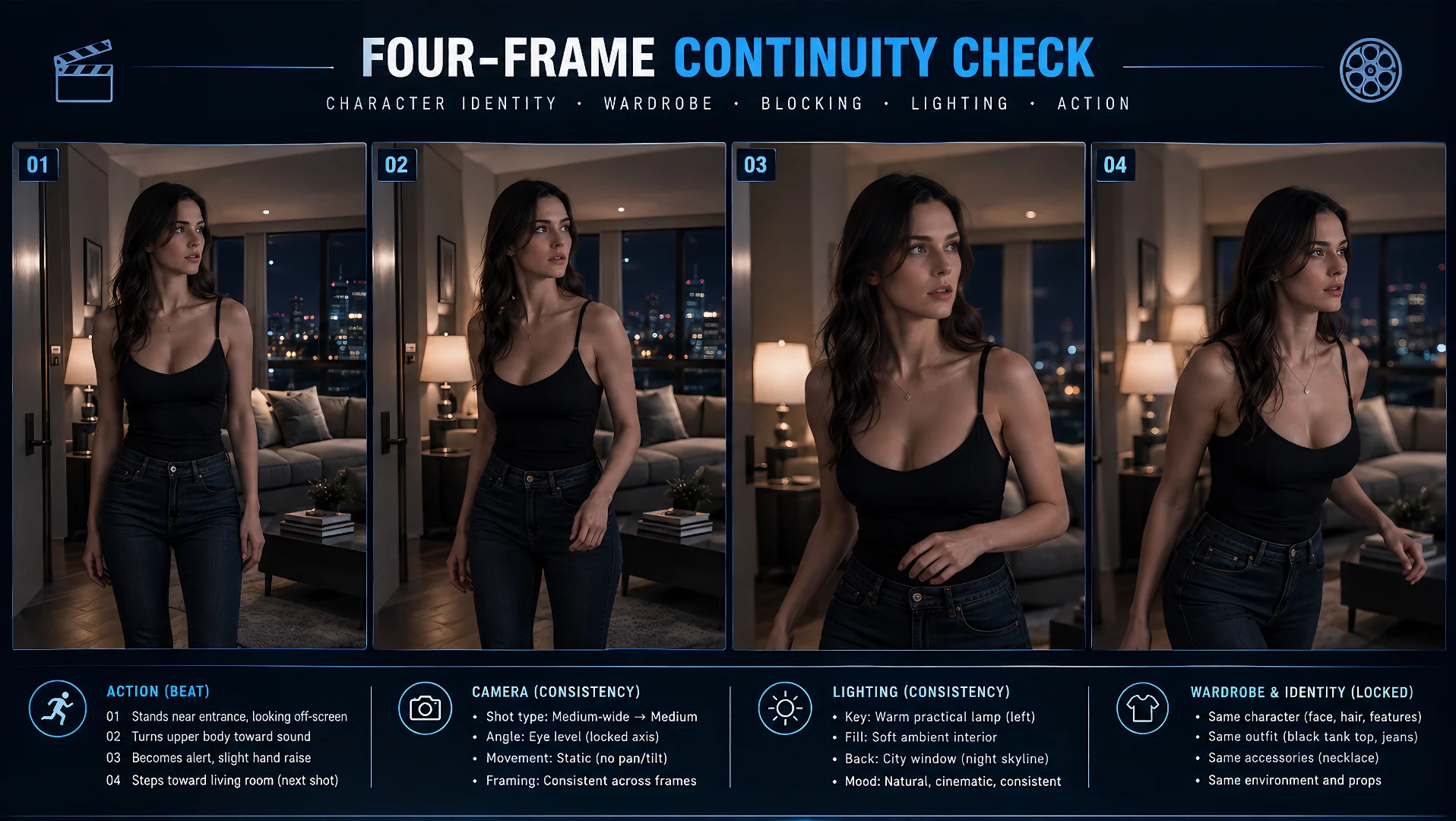
Continuity Checklist
Before approving a shot, check:
- Does the character still look like the approved identity?
- Does the location match the established version?
- Are character positions understandable from the previous shot?
- Do clothing, objects, lighting, and visible states carry forward?
- Does the ending create a usable starting point for the next clip?
- Is the visual change intentional rather than accidental drift?
A continuity checklist does not remove the need for judgment. It gives every shot the same review standard, making it easier to decide whether a variation improves the sequence or breaks it.
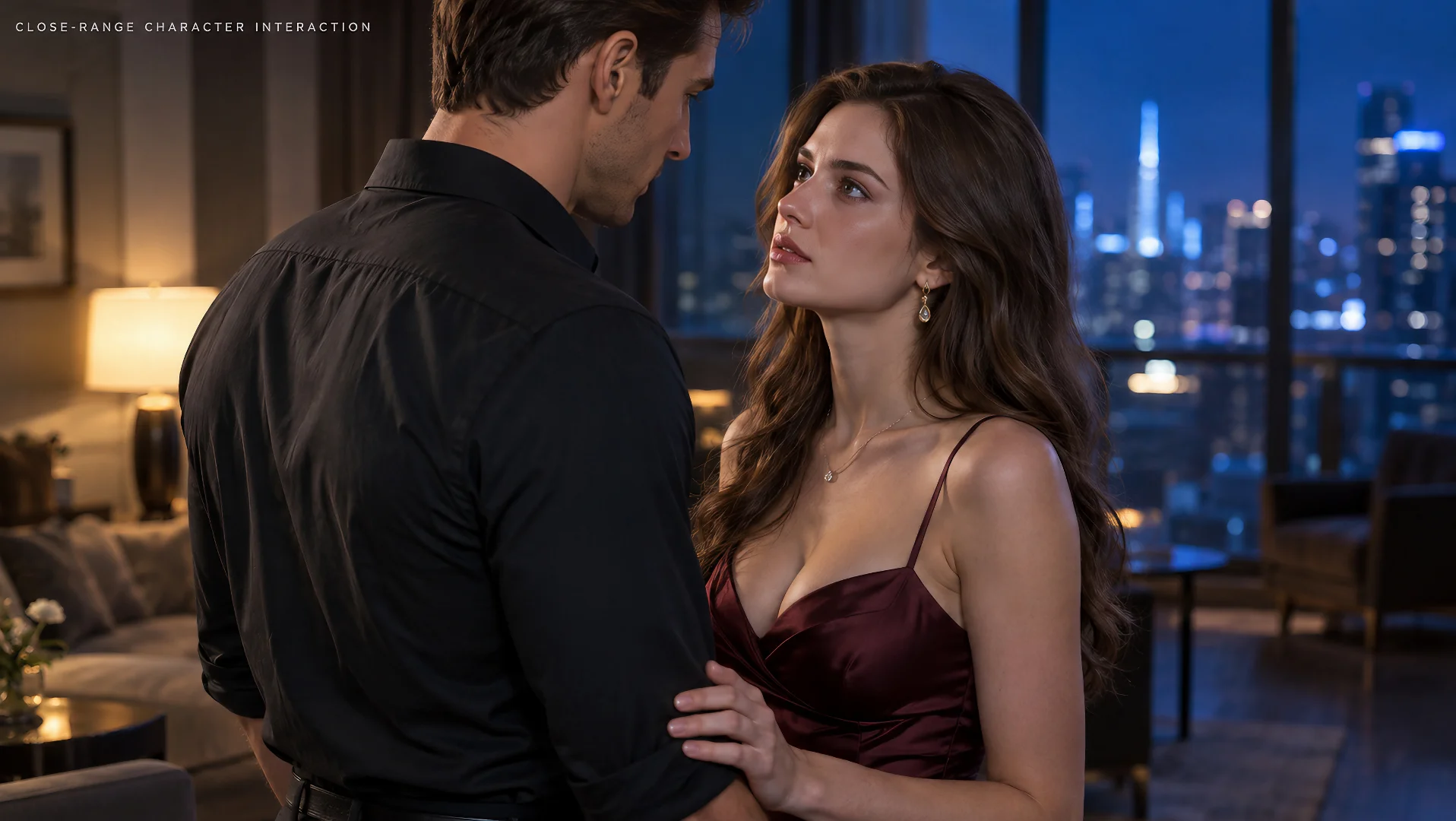
Where NSFW Seedance Shots Need Tighter Control
NSFW scenes often place more pressure on identity, physical structure, staging, and camera proximity. A direction that works for a simple portrait may become unreliable when several characters, overlapping bodies, changing poses, and close framing appear together.
Multiple-Character Role Confusion
State who initiates the action, who responds, and where each person is positioned. Avoid relying only on pronouns when more than one character appears.
Assigning references consistently also matters. If Character A is tied to one identity image, do not reverse that assignment in the next shot.
Occlusion and Body Interaction
Close contact creates more opportunities for hands, limbs, faces, and clothing to obscure one another. The model must understand both the intended movement and what should remain visible.
Simplify the camera when the interaction is already complex. A stable medium shot may preserve body position more reliably than simultaneous orbiting, zooming, pose changes, and foreground obstruction.
Conflicting Reference Assets
References can disagree even when each image looks useful on its own. One may show a different hairstyle, another may imply a different body position, and a third may introduce incompatible lighting or camera perspective.
Select references according to responsibility, not quantity. Keep the identity reference visually clear, use one approved environment, and add motion material only when it contributes information that is difficult to express in words.
Model Failure or Platform Restriction
A weak result is not automatically evidence that a request was filtered. If the task completes but the interaction becomes vague, a character drifts, or the pose loses structure, the cause may be excessive complexity or conflicting direction.
A visible rejection before generation points more strongly toward a platform rule. A completed but inaccurate shot should first be tested with fewer references, a simpler action, or a more stable camera.
Making this distinction prevents unnecessary prompt rewrites and helps determine whether the problem belongs to the service, the input package, or the generated performance.
Regenerate, Edit, Extend, or Send the Shot to Post?
Not every imperfect shot needs the same response. The fastest option is the one that matches the type of problem.
| What you see | Best next step | Why |
|---|---|---|
| The identity, opening composition, or main action is fundamentally wrong | Regenerate | The shot was built on the wrong foundation |
| The performance works, but one localized element needs correction | Edit | Most of the approved result can be preserved |
| The action is moving in the right direction but ends too soon | Extend | The clip needs continuation rather than replacement |
| The footage works and only needs timing, subtitles, sound balance, or color finishing | Send to post-production | The remaining work changes presentation rather than the event |
A simple way to decide:
If the shot itself is wrong, fix it in Seedance. If the shot works and only needs finishing, move it to post-production.
Regenerate
Regenerate when the scene cannot be saved without changing its basic structure. Examples include the wrong character occupying the central role, an unusable opening composition, or an action that develops in the wrong direction.
Before trying again, change the Shot Package rather than merely submitting the same request. Remove conflicting references, simplify the primary action, or redefine the opening state.
Edit
Edit when most of the clip already works. A background object, visual detail, localized movement, or limited part of the composition may need adjustment without replacing the performance.
Editing is most useful when the acceptable parts of the shot are worth preserving.
Extend
Extend when the clip ends before the intended reaction, transition, or movement has finished. The current ending frame should provide a clear state from which the continuation can begin.
Do not use extension to repair an incorrect foundation. It will continue the existing direction, including its unresolved problems.
Send to Post-Production
Move the shot forward when generation is complete and the remaining changes concern presentation. Editing rhythm, subtitles, volume balance, transitions, minor color correction, and final delivery belong in post-production.
Repeated generation is expensive when the desired improvement could be achieved during the final edit.
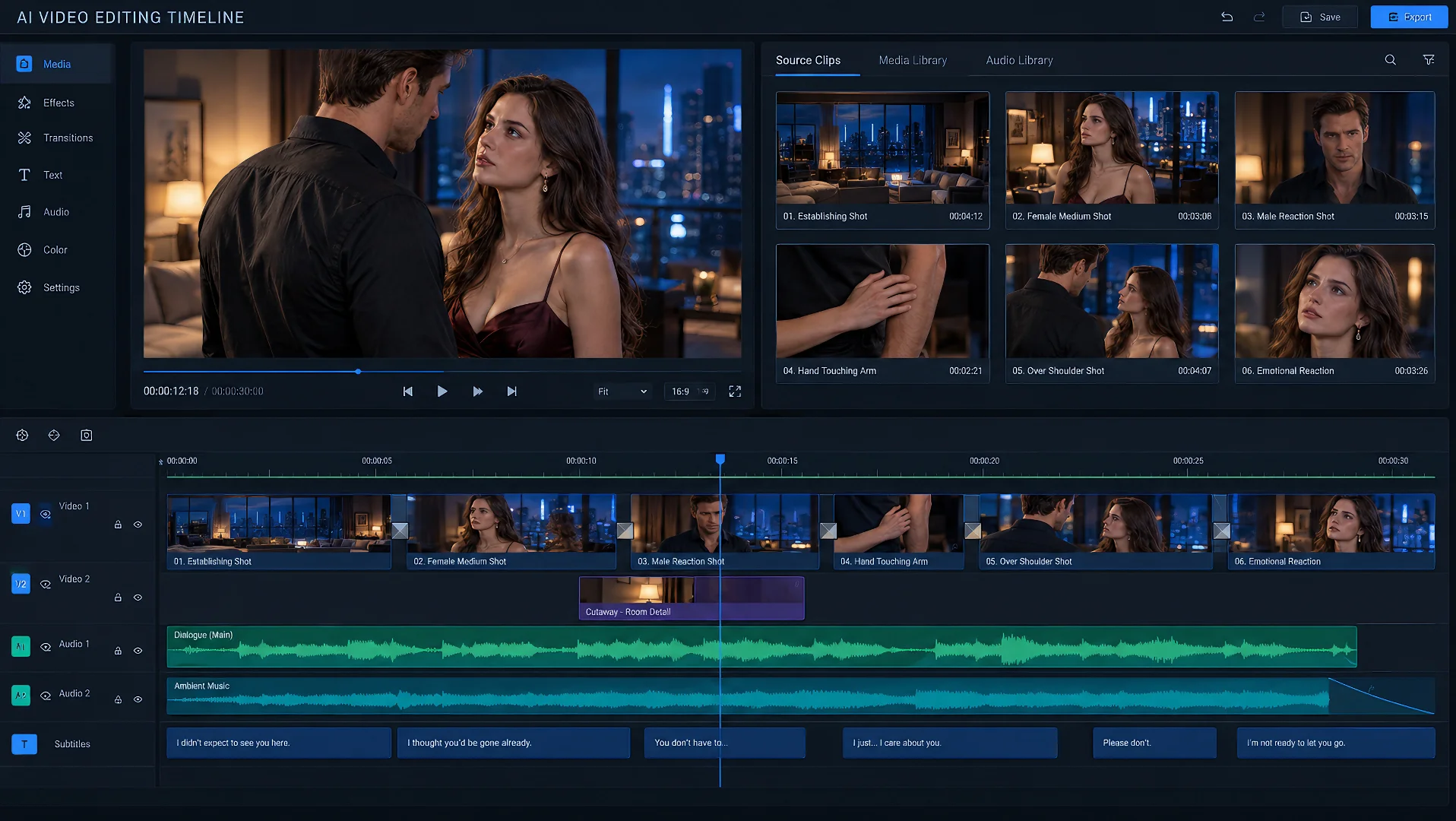
What Seedance 2.5 Does Not Replace in Huangguo Production
Seedance 2.5 does not replace the decisions that determine what should be generated. Script development, shot division, character approval, location design, asset selection, and creative direction still need to happen before a shot reaches the model.
It also does not replace the production management required after generation. Someone must compare versions, reject inconsistent clips, preserve approved assets, track continuity, and decide which result belongs in the sequence.
Final editing remains a separate stage. Shot order, pacing, transitions, subtitles, sound balance, color consistency, and delivery determine whether individually successful clips become a complete video.
These boundaries do not reduce the value of Seedance. They make its role more precise. It is strongest when given a defined production task and connected to a workflow that knows what should happen before and after generation.
Final Takeaway: Seedance Is the Shot-Production Layer
Huangguo makes one production principle especially clear: a longer AI video becomes manageable when it is divided into planned, reviewable shots.
Seedance 2.5 turns approved character assets, locations, opening compositions, motion direction, audio requirements, and continuity notes into video clips. Its value is not that it replaces the complete production system. Its value is that it gives creators several ways to turn prepared materials into motion and repair individual shots without discarding the entire sequence.
The most reliable process is straightforward:
- Approve the creative decisions before generation.
- Prepare one Shot Package for each clip.
- Choose the control that matches the available assets.
- Keep identity and spatial continuity stable while allowing the action to develop.
- Regenerate, edit, extend, or move to post-production according to the actual problem.
That is how separate generations become usable production material rather than an unrelated collection of attractive clips.
Create With NSFWSeedance
Generate fully uncensored 18+ images and videos without ordinary prompt restrictions. Start directly in your browser, receive free credits after registration, and test a difficult shot before committing to the complete sequence.